Учебное пособие
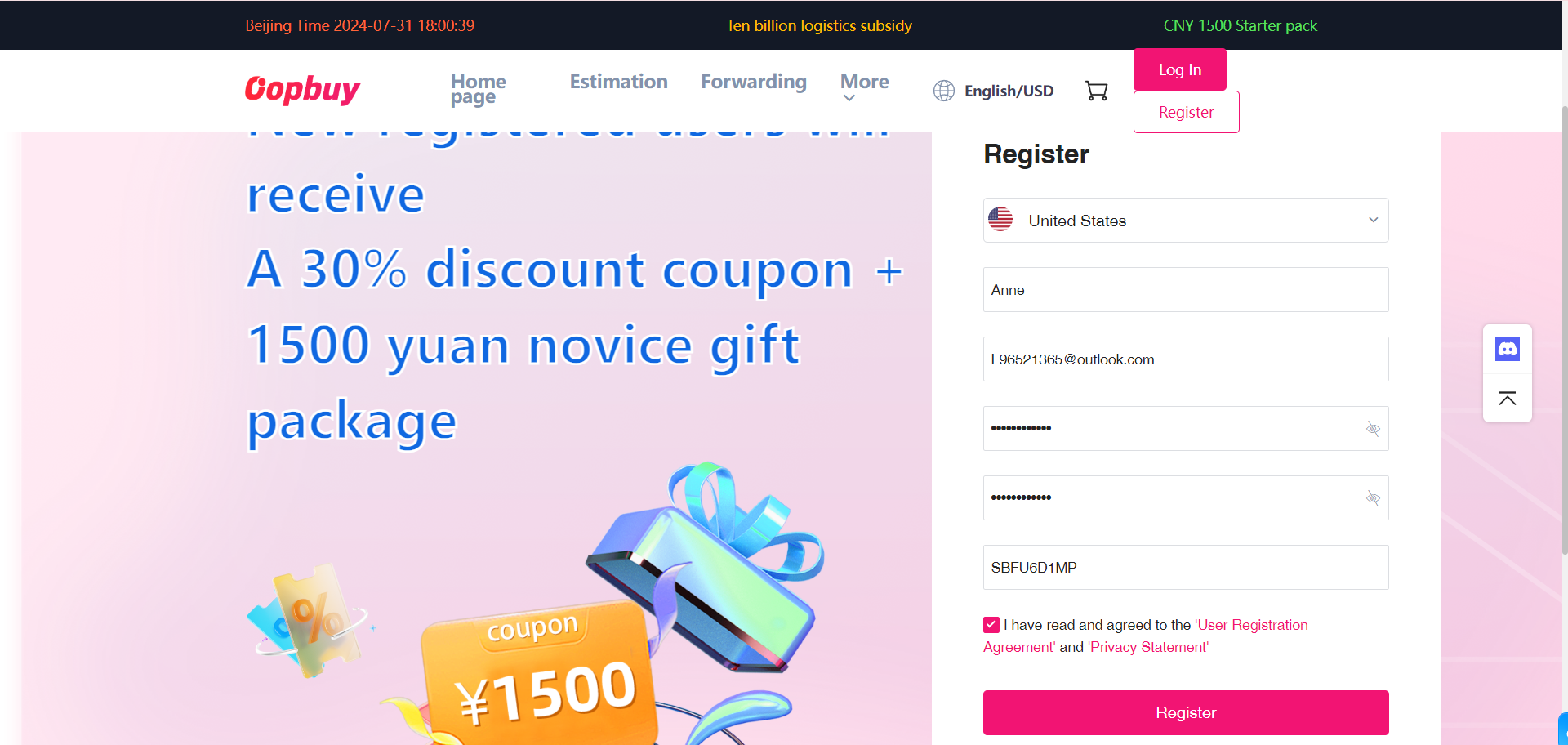
STEP1:Click Register and enter your registration information.
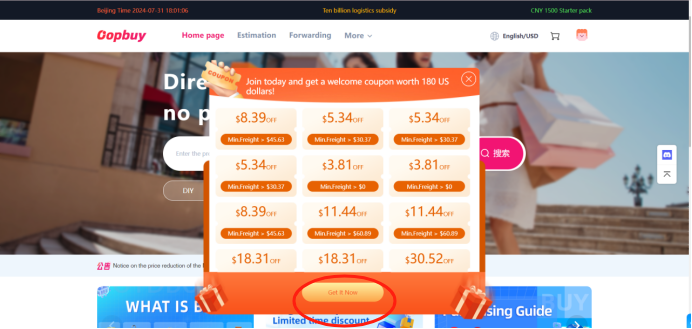
STEP2:Click to get your coupon.
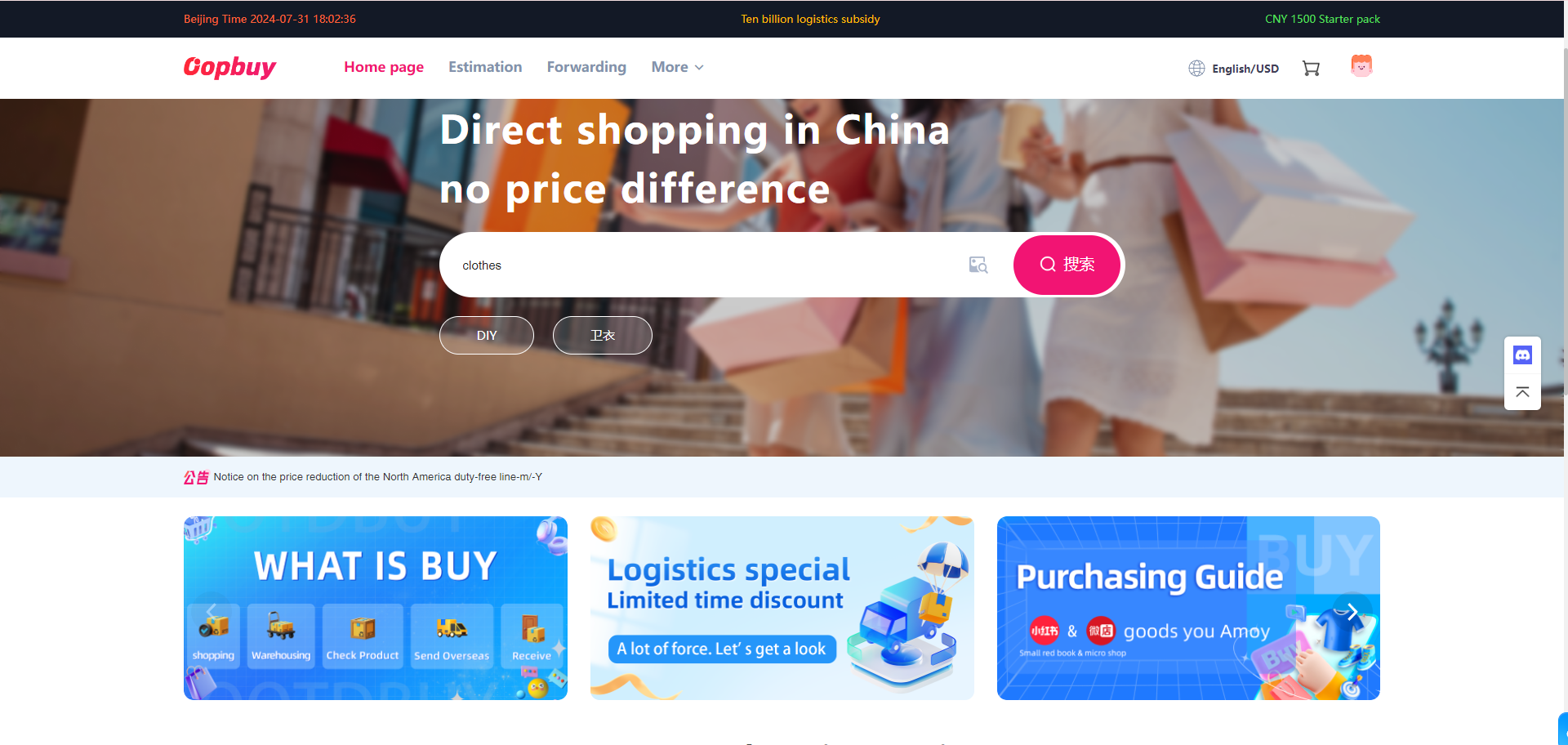
STEP3:Search for the item you want to buy on the main page.
STEP4:Select the style, size and quantity of the item you need and place your order.
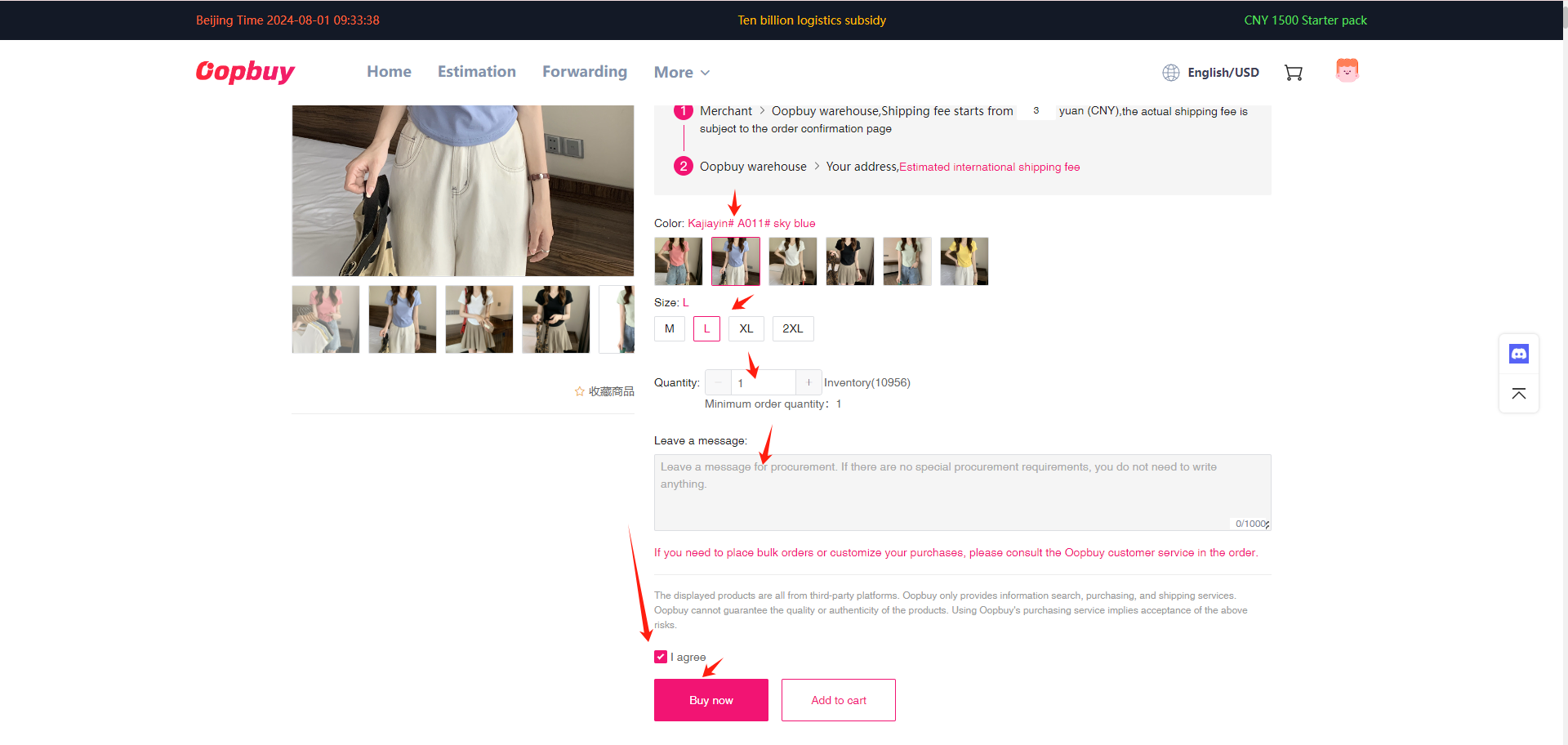
STEP5:Set up your personal information and pay.
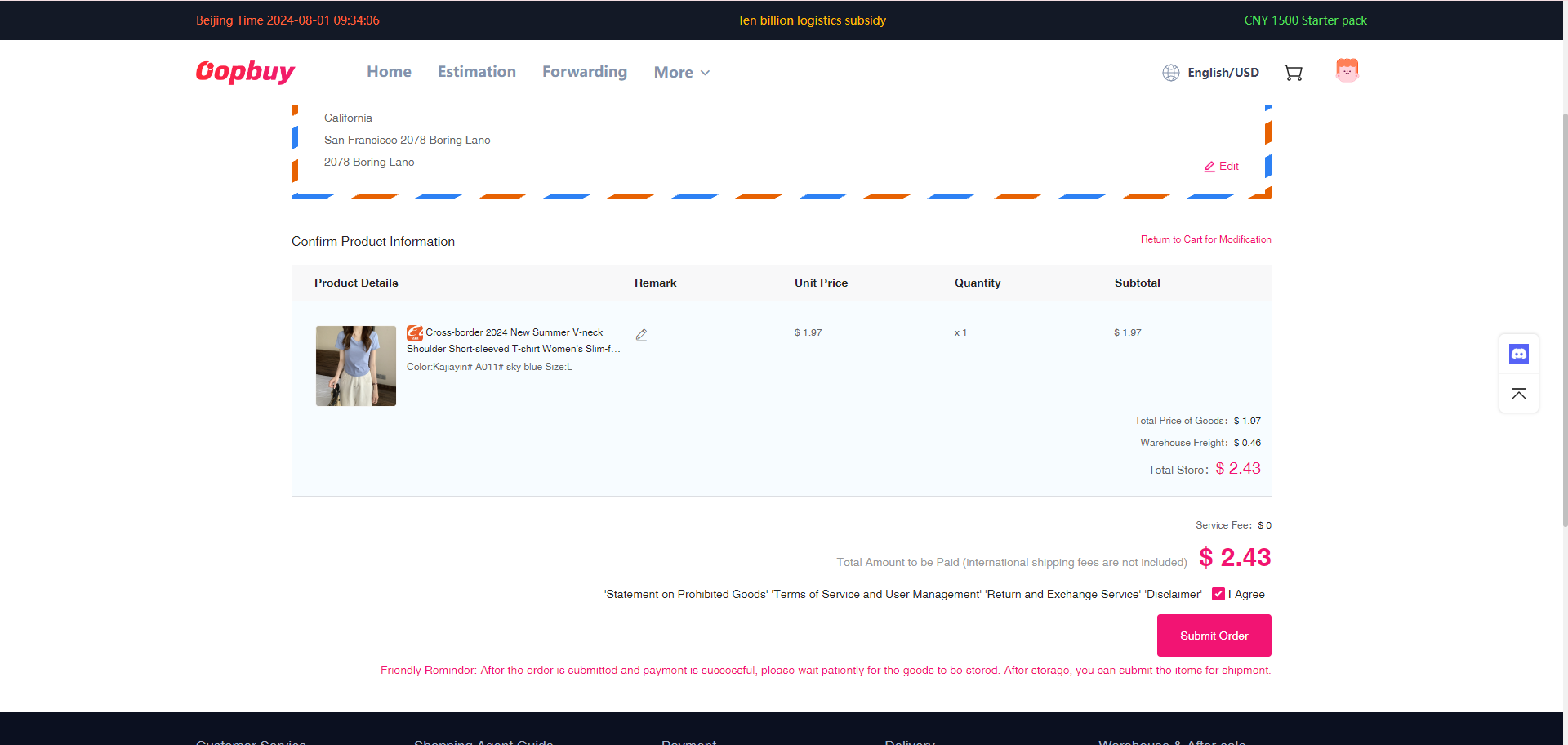
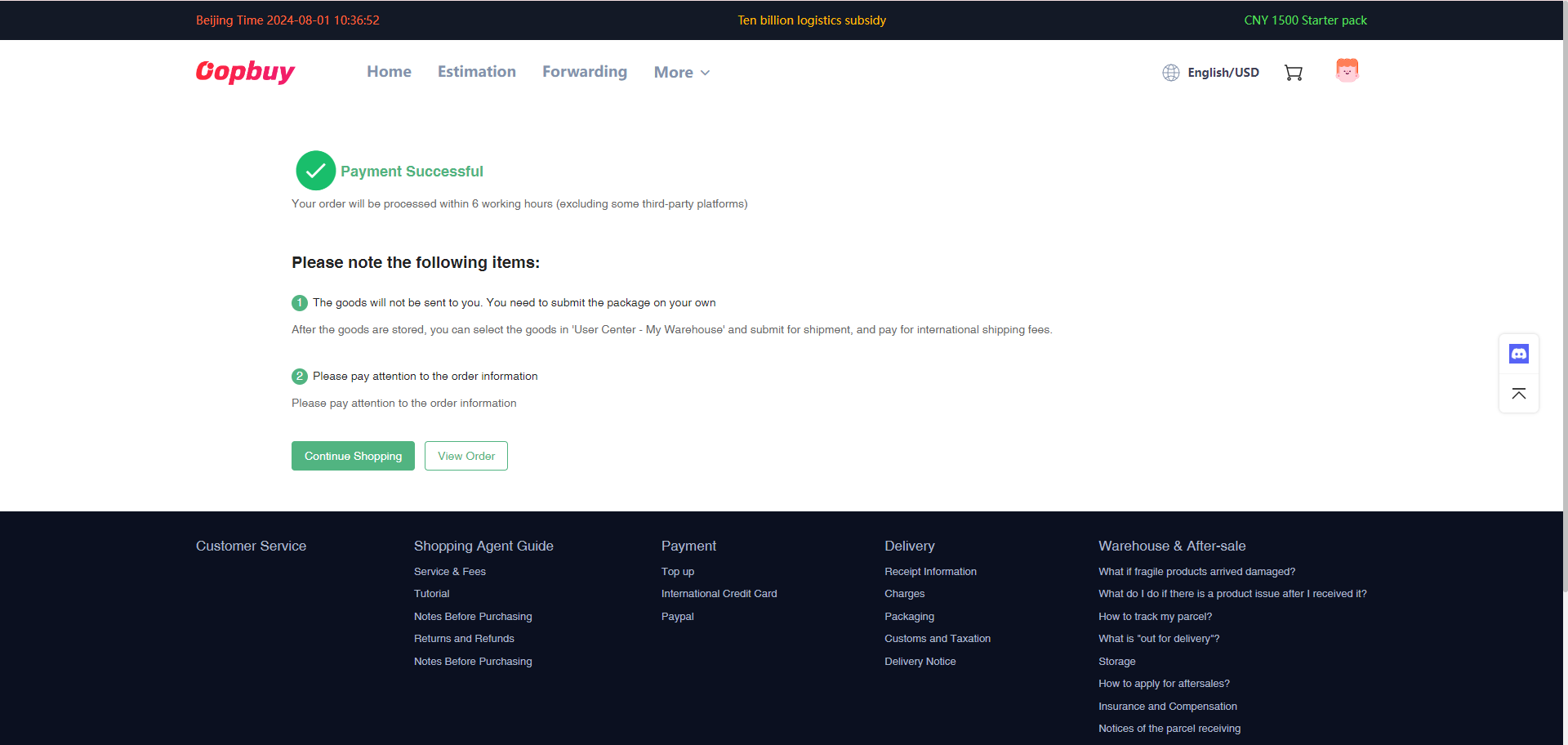
STEP6:After successful payment, click “View order” to view your order in the background.You can also choose to continue shopping.
STEP7:After the order is successfully placed, we will purchase the merchandise, and after the merchandise enters the OPPBUY warehouse, you will create a waybill in “My Warehouse”.
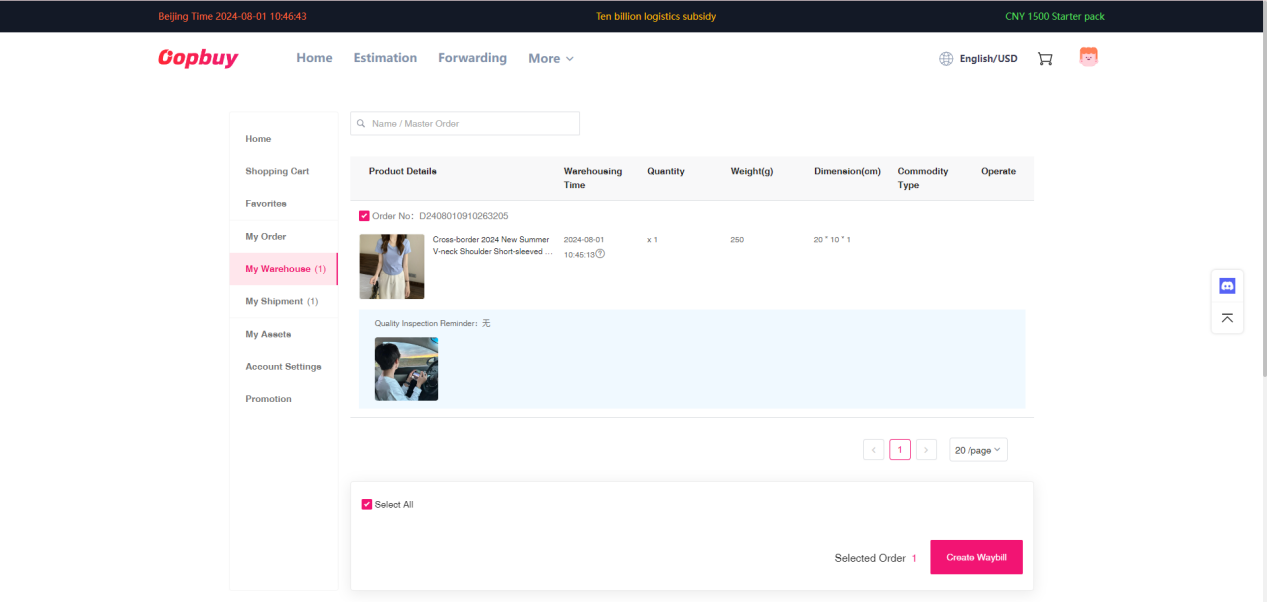
Tip: If you have multiple items to be shipped in the same package, you need to wait until all items are in stock, then check all items and create a waybill.
STEP8:Create a waybill.
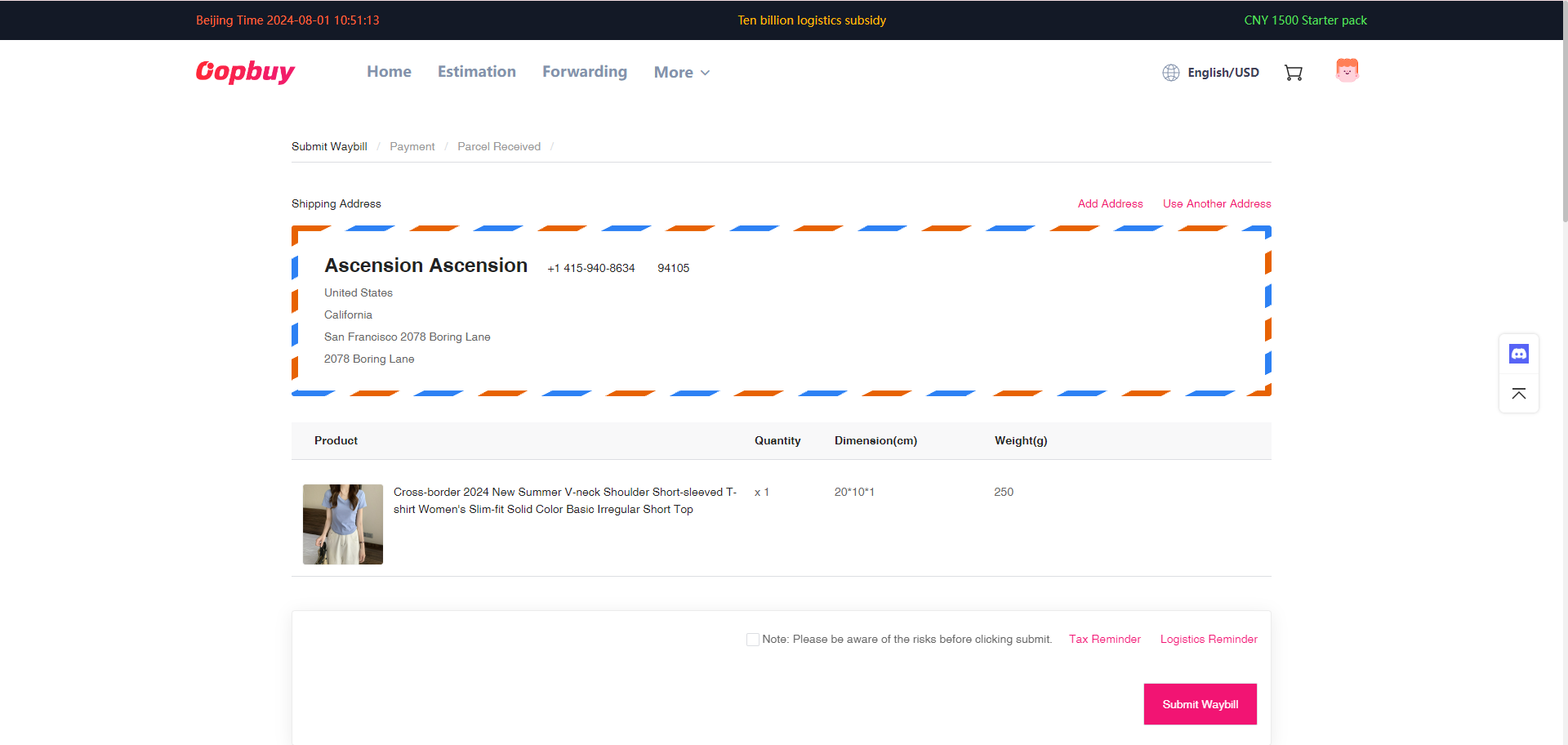
Tip: You need to check your name, address, phone number and other personal information.
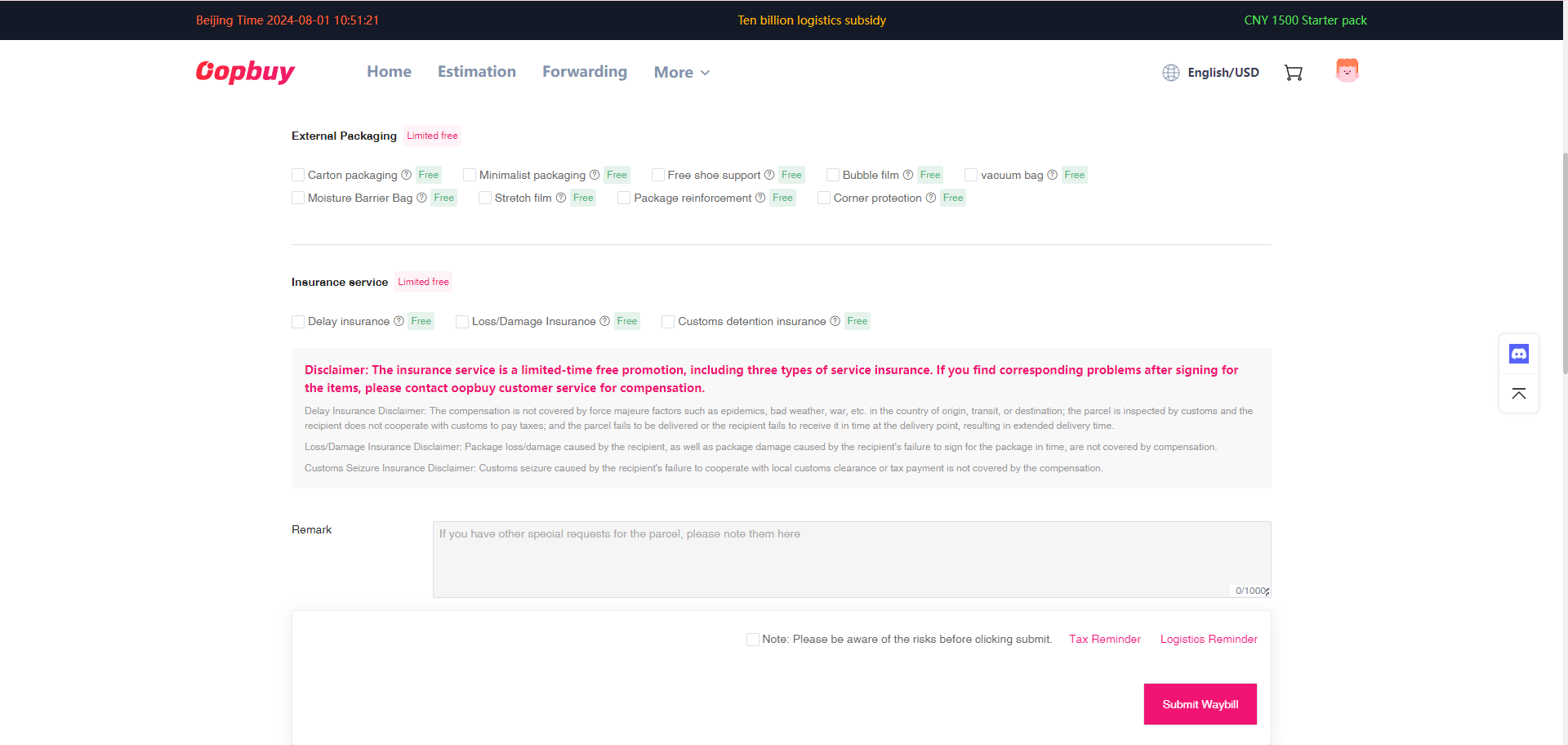
Tip: You can choose how you want to pack and insure.
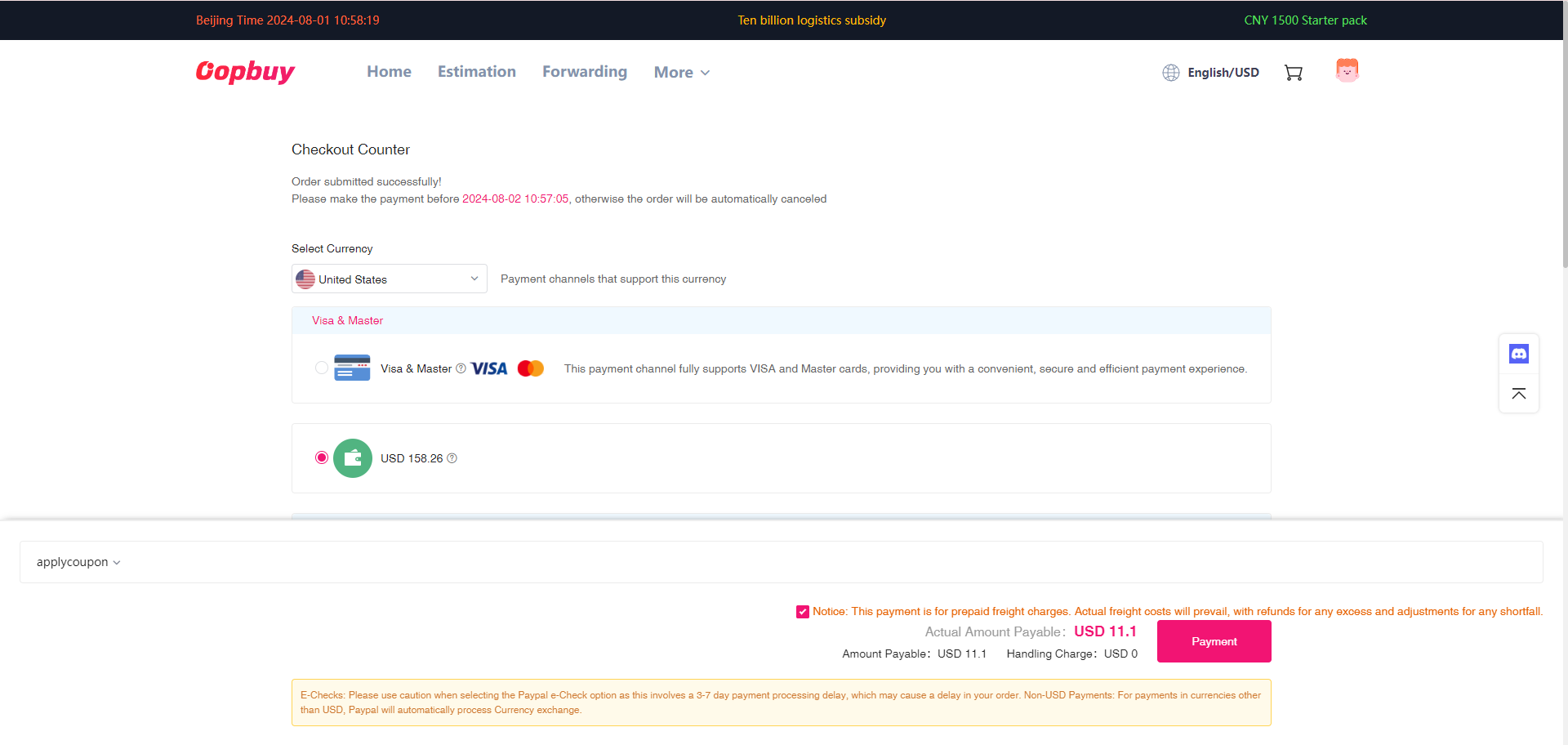
STEP9:Payment of freight
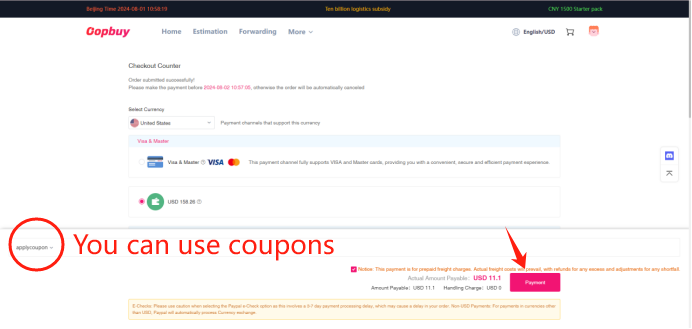
Tip: Payment here is for estimated shipping costs.
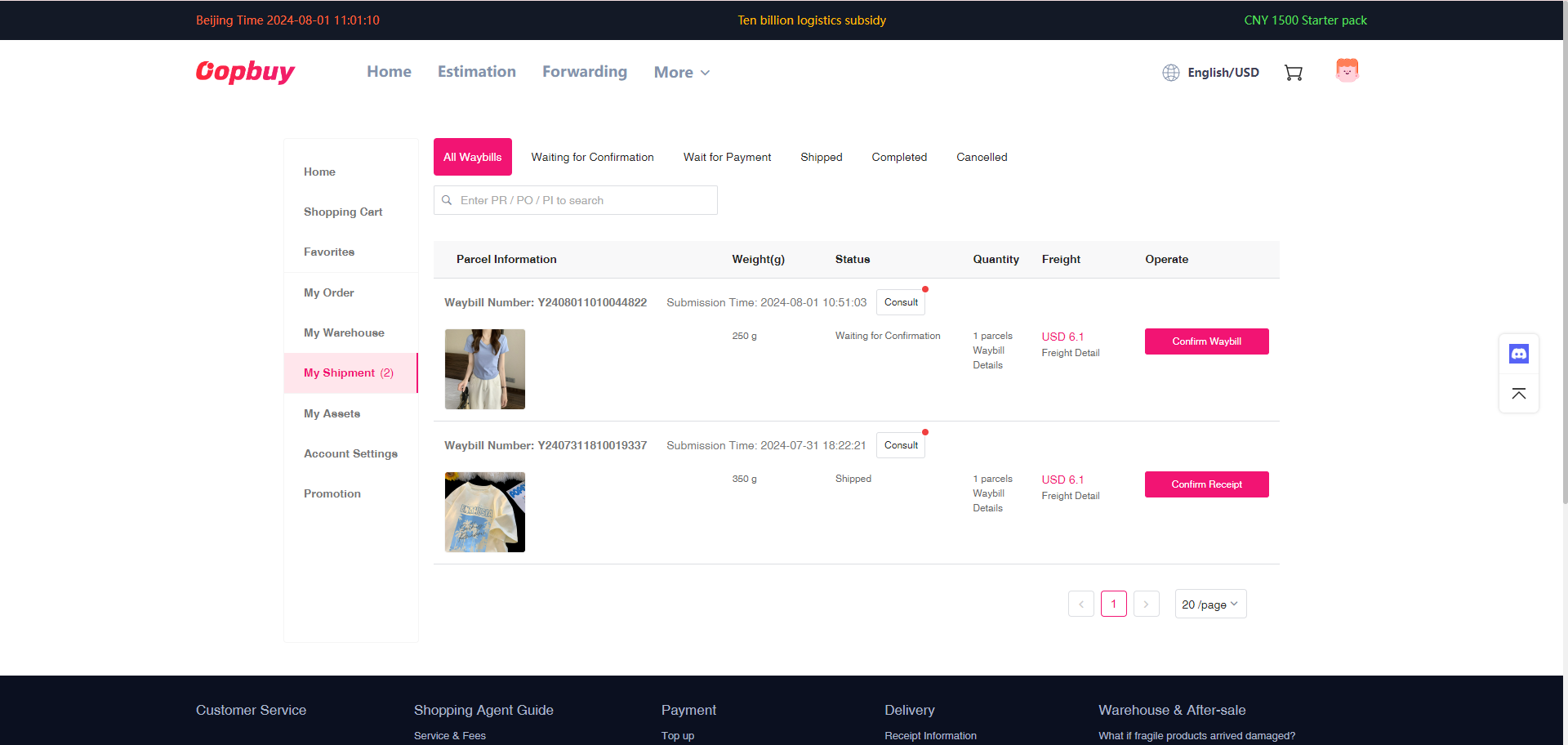
STEP10:After the merchant packs the parcel, you need to pay the actual shipping cost in “My Shipments”.
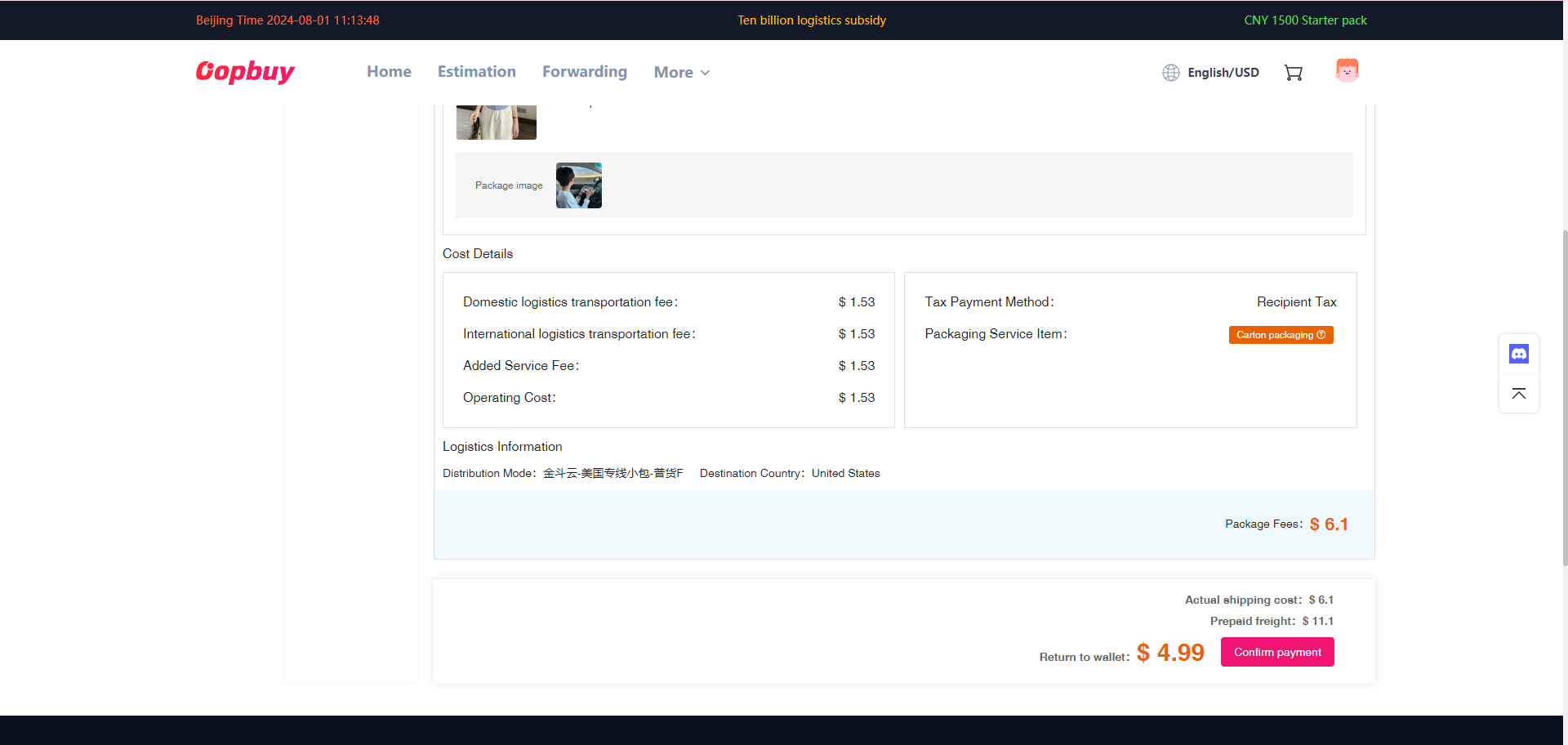
Tip:If the prepaid shipping cost is lower than the actual shipping cost, you will need to pay for the shipping cost; if the prepaid shipping cost is higher than the actual shipping cost, the excess shipping cost will be refunded to your account.
STEP11:After the package is shipped, you can check the logistics track in “My Waybill” and wait for the delivery.